The desktop launcher · Free · Windows & Linux

The tools on top of the game, not in another tab.

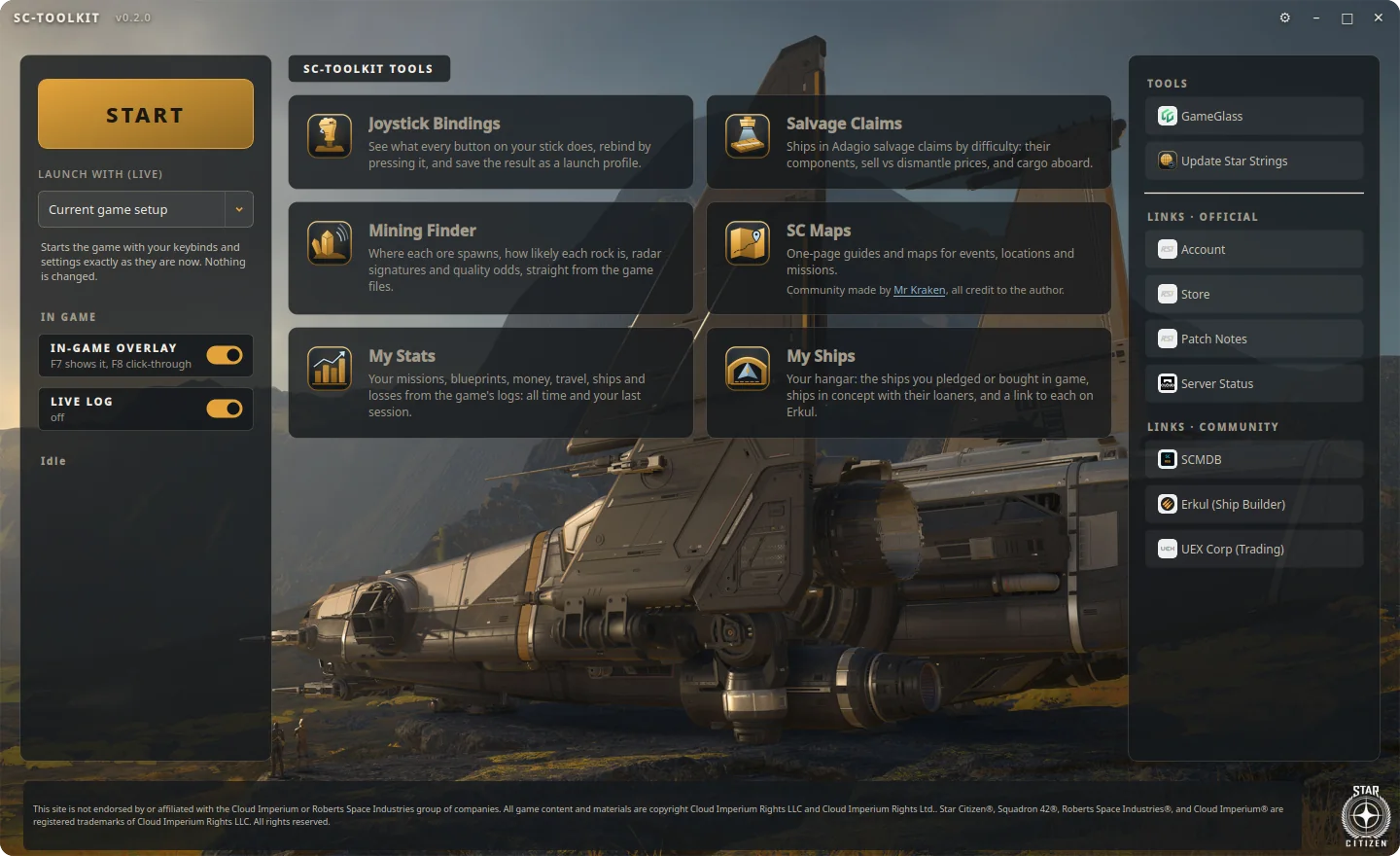
SC-Toolbox starts the game through your RSI Launcher, keeps your keybinds safe, and puts the tools you keep alt-tabbing for in one place: where to mine, which salvage pays, your stats, your hangar, and an overlay that never touches the game.

Version v0.7.0 · released 28 Oct 2026 · No installer, no account needed · See what it does ↓

Or use the tools in your browser, no download →

The SC-Toolbox launcher: START button, keybind backup choice, overlay switches and tool tiles over the Drake Corsair wallpaper
The toolkit

Stop alt-tabbing to spreadsheets

Every tool reads its data straight from your installed game, once per patch, so it's current on patch day and works without a connection.

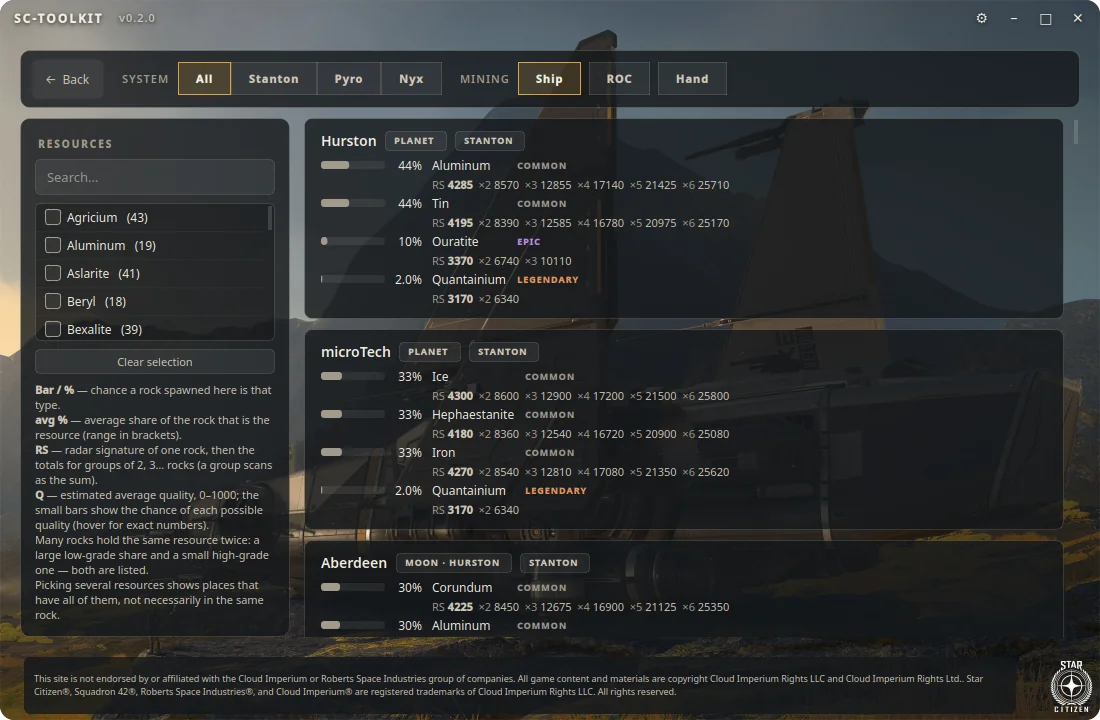
Mining Finder: locations with rock types, spawn chances, radar signatures and rarity
Mining Finder

Know where to point your laser

Pick the resources you want and see every place that has them, across Stanton, Pyro and Nyx, for ship, ROC or hand mining.

  • Rock types and how likely each one spawns there
  • Radar signatures, with totals for groups of two to six rocks
  • How much of your resource a rock holds, and the odds of each quality

Try it in your browser

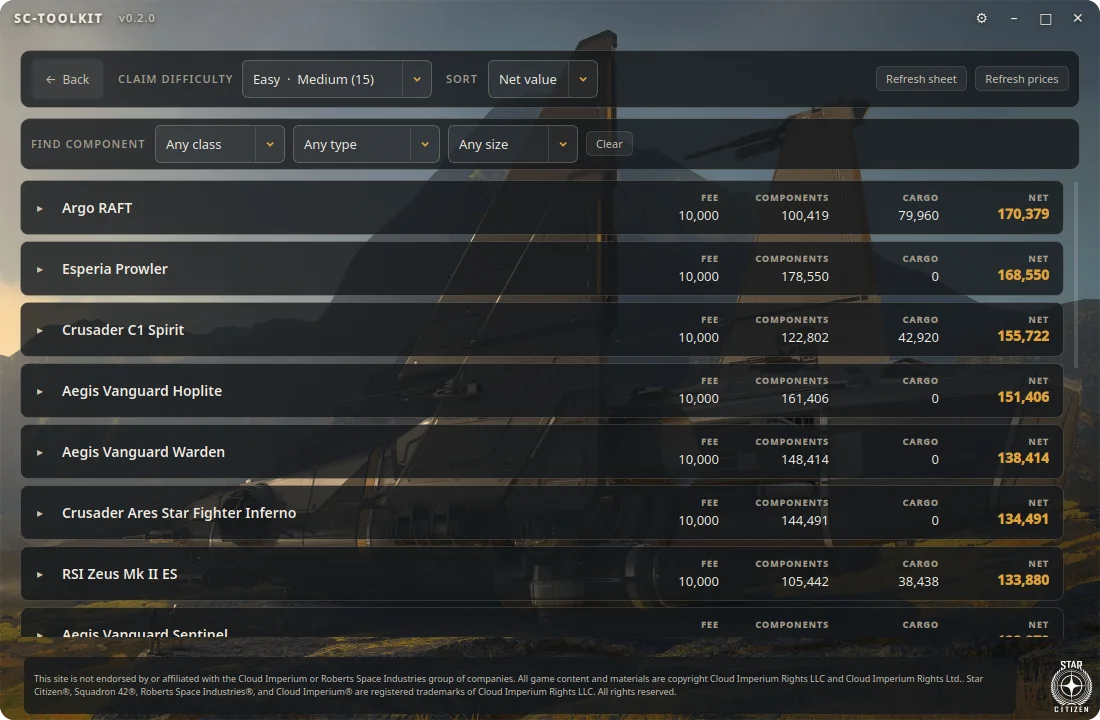
Salvage Claims: ships per claim difficulty with fee, component, cargo and net values
Salvage Claims

Pick the claim that pays

For every Adagio salvage-claim difficulty: which ships can spawn and what each one is really worth.

  • Components per ship, and whether they come off
  • Sell vs dismantle prices, side by side
  • Cargo aboard, priced at UEX averages; sort by net value

Try it in your browser

Component data from u/PiibaManetta's salvage guide, prices from UEX Corp.

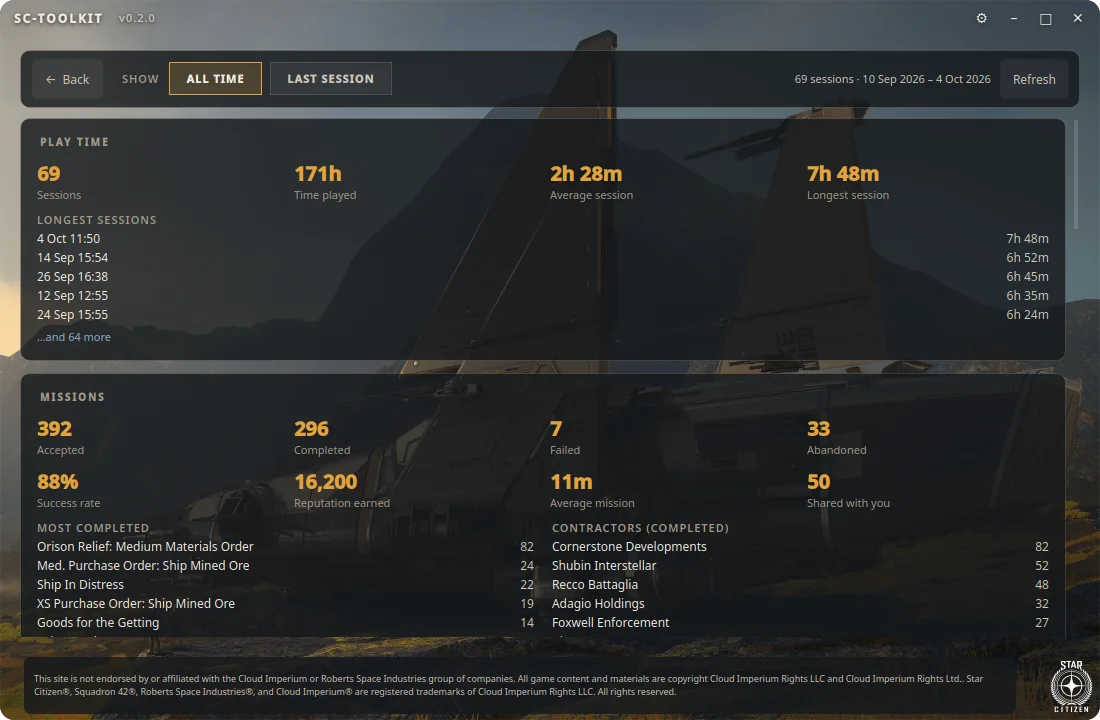
My Stats: sessions, time played, missions, success rate and reputation from the game logs
My Stats

Your career, from the game's own logs

Everything the game writes down about you, added up: all time or just your last session.

  • Play time, sessions and your longest runs
  • Missions, success rate, reputation and contractors
  • Blueprints received, travel, ships flown, deaths, refinery orders
The game deletes old logs. Soon you'll be able to send your stats to your SC-Toolbox account, so your history outlives the log folder. Each session is counted once, however often you upload. Coming soon
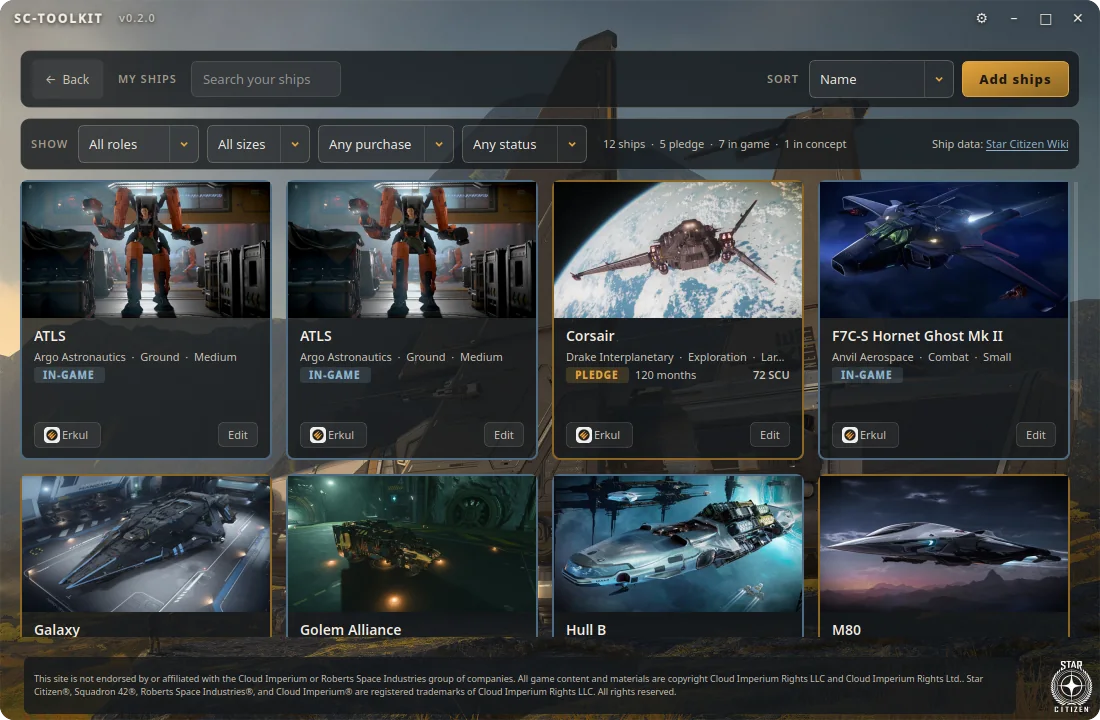
My Ships: hangar grid of ship cards with pledge and in-game badges
My Ships

Your whole fleet, pledged and in-game

Add the ships you own and see them as a hangar: gold for pledges, steel-blue for in-game purchases.

  • Filter by role, size, purchase and status; give ships your own names
  • Default loadout and stats from your game files: speeds, shields, power, quantum, cargo
  • Concept ships show their loaners; released ones open in Erkul

Ship list and pictures from the Star Citizen Wiki (CC BY-SA 4.0).

In-game overlay

Your missions on top of the game, safely

A small always-on-top bar that follows your session while you play. It's an ordinary separate window: no injection, no hooks, nothing for Easy Anti-Cheat to object to. Run the game in borderless mode and it simply sits on top.

F7 show / hide F8 click-through
MissionsContractor, rewards, the next objective, and how many of its blueprints you already own. The mission that just changed jumps to the top.
SessionYour ship, location, monitored space, and what you've done this session.
Maps, Mining, SalvageCompact versions of the launcher's tools, without leaving the game.
And the rest

The little things that save an evening

Joystick bindings

A manual-style picture of your stick with every action on every button. Rebind by pressing the button, save named profiles. Game files are never edited.

Keybind safety net

Whenever the game closes, your keybinds and control mappings are backed up (only if something changed). Restore a backup or a profile right before launch.

StarStrings updater

Installs StarStrings, MrKraken's community translation, and only when it matches your game build.

SC Maps

Mr Kraken's one-page guides and maps inside the launcher, with zoom and pan, cached for offline use.

One-click updates

A daily check for new versions. You see what's new, click once, and the download is verified against GitHub's checksum before it's installed.

Made on Linux, too

Runs daily on Linux with Wine and the LUG Helper, KDE Plasma overlay included. Windows support is in testing.

Download

Ready for your next session

One file, nothing to install: Python, Qt and every library are bundled.

Windows

Windows 10/11, 64-bit
  1. Download SC-Toolkit-windows.exe and put it wherever you like.
  2. Run it. It isn't code-signed yet, so SmartScreen may warn you the first time: More info → Run anyway.
  3. Press Auto-detect in Settings to find your game.
Download .exe · 42 MB

Linux

x86-64, with a Wine install of the game
  1. Download SC-Toolkit-linux.AppImage.
  2. Make it executable: chmod +x SC-Toolkit-linux.AppImage
  3. Run it. A working Wine install of the game (e.g. via the LUG Helper) is all it needs.
Download AppImage · 77 MB

Latest: v0.7.0 · Changelog · Source on GitHub

FAQ

Good questions

Can it get me banned? Is it safe with Easy Anti-Cheat?

The launcher and the overlay never touch the game process: no injection, no hooks, no memory reading. The overlay is an ordinary window that sits on top of a borderless game, the same way any other app's window would.

Does it change my game files?

No. It starts the game through your own RSI Launcher, reads data from your installation to show it to you, and backs up your own keybind and settings files. Restoring a backup only happens when you choose to.

Does it cost anything? Do I need an account?

It's free and open source (GPL-3.0). The launcher works fully without an account. Signing in is optional, for the online features: orgs, events and keeping your stats.

What does the launcher send to the internet?

Nothing about you unless you sign in. It downloads public data (ship list, prices, maps) and checks for updates. The live log reader only reads your local log. Once stat uploads exist, they'll be opt-in and only go to your own account.

Is it made by CIG?

No. It's an unofficial fan project, made for fun and shared for free, and not affiliated with Cloud Imperium Games.
Credits

Built on the community's work

Several features show data and tools made by other community members. If you find them useful, please support the original authors.

See you in the 'verse

Free for Windows and Linux · v0.7.0

Already have it? Sign in to your SC-Toolbox account

Search the tools

Type a blueprint, mission, ship, ore or salvage ship.